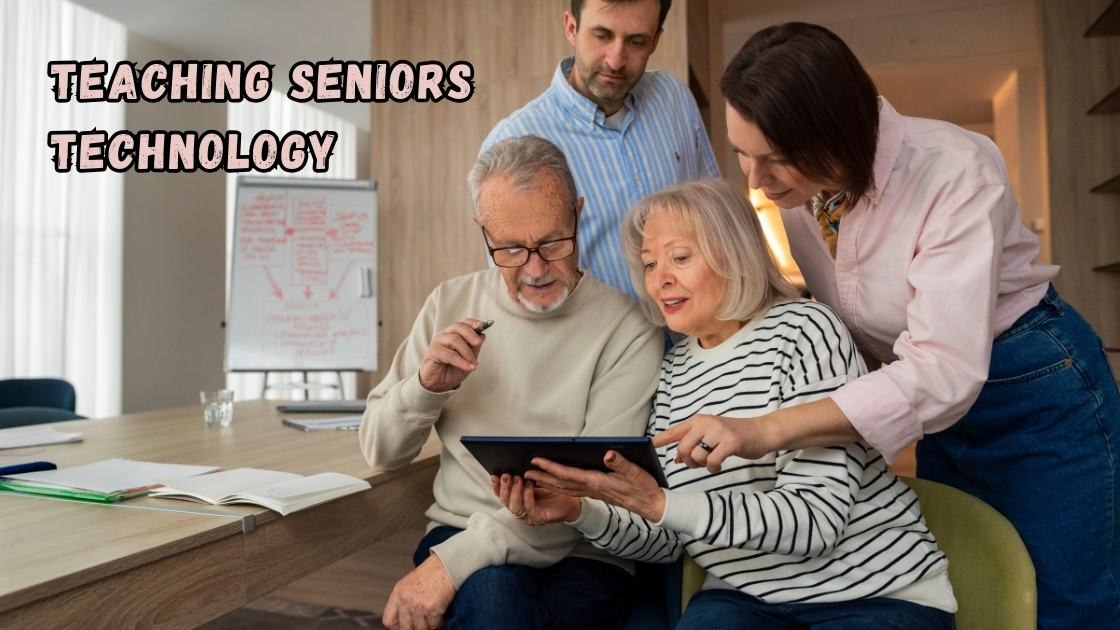
Teaching seniors technology doesn’t have to feel like a battle between generations. As our loved ones age, helping them navigate smartphones, tablets, and the internet becomes an act of care rather than a chore. Yet many families struggle because they approach digital literacy for older adults with impatience or assumptions that undermine confidence.
This guide offers practical, compassionate strategies for tech education for elderly family members. You’ll discover how to introduce devices at a comfortable pace, build their digital skills without frustration, and address common fears about online safety. Whether you’re helping a parent send their first text message or teaching a grandparent to video call, these honest tips prioritize what matters most: preserving their autonomy and self-respect throughout the learning process. Let’s explore methods that truly work.
Understanding the Digital Divide: Why Teaching Seniors Technology Requires Patience
Teaching seniors technology begins with recognizing why this gap exists in the first place. Older adults grew up in an era of rotary phones, handwritten letters, and face to face communication. The rapid shift to smartphones and social media happened within just a couple of decades, leaving many feeling overwhelmed and left behind.
This digital divide isn’t about intelligence or capability. It stems from unfamiliarity and a lack of early exposure to modern devices. When you understand this context, your approach to senior tech support becomes more empathetic and effective.
Why Technology Matters for Older Adults
Helping elderly people learn technology opens doors to connection, independence, and safety. Video calls allow grandparents to watch their grandchildren grow up from miles away. Online banking and telehealth appointments reduce the need for exhausting trips outside. Smart home devices and medical alert systems offer reassurance and safety for both older adults and their worried family members.
Beyond practicality, digital literacy for seniors combats isolation and loneliness, which research links to serious health problems. When older adults can text, email, or browse the internet, they remain engaged with the world around them.
Common Challenges When Teaching Seniors Technology
Before diving into tips, it’s important to acknowledge the obstacles you might encounter. Understanding these challenges helps you prepare realistic expectations and develop patience throughout the learning journey.
Fear of Making Mistakes
Many seniors worry they’ll break something, delete important files, or accidentally share personal information. This fear often causes hesitation and reluctance to explore devices independently. Reassuring them that mistakes are reversible builds confidence over time.
Physical Limitations
Arthritis, vision problems, and hearing loss can make using technology genuinely difficult. Small text, tiny buttons, and complex navigation create real barriers that require thoughtful accommodations rather than frustration.
Information Overload
Modern devices offer countless features, apps, and settings. For someone new to technology, this abundance feels paralyzing rather than helpful. Simplifying the learning process prevents seniors from shutting down entirely.
Effective Strategies for Teaching Seniors Technology
Now let’s explore practical approaches that actually work. These methods respect their autonomy while building genuine skills they can use independently.
Start With Their Interests and Goals
The most successful tech education for elderly learners connects to things they already care about. Ask what they’d like to accomplish with technology before introducing any device or app.
- Do they want to see photos of grandchildren on social media
- Would they enjoy reading news articles or books online
- Are they interested in video calling distant family members
- Do they need help managing medications or health appointments
- Would online shopping make their daily life easier
When learning serves a meaningful purpose, motivation increases dramatically.
Use Simple Language Without Condescension
Avoiding technical jargon doesn’t mean speaking to seniors like children. Replace terms like “download the application” with “get the app onto your phone” while maintaining a respectful tone. Teaching seniors technology works best when explanations feel conversational rather than instructional.
Demonstrate Then Practice Together
Show each step slowly on their own device, then have them repeat the action immediately. This interactive method strengthens their ability to remember steps and boosts self assurance over time. Watching someone else navigate technology rarely translates into independent skills without practice.
Creating a Supportive Learning Environment
The atmosphere you create matters as much as the content you teach. Patience, encouragement, and flexibility transform frustrating sessions into positive experiences.
Allow Plenty of Time
Rushing through explanations creates anxiety and reduces retention. Schedule dedicated time for senior computer training when neither of you feels pressured. Short, frequent sessions work better than marathon teaching attempts.
Celebrate Small Victories
Every successfully sent text message or completed video call deserves recognition. Positive reinforcement encourages continued learning and builds the confidence seniors need to explore independently.
Create Written Reference Guides
Many older adults appreciate step by step instructions they can reference later. Write clear notes with large text covering common tasks like:
- Making a phone call
- Sending a text message
- Opening the camera app
- Joining a video call
- Searching the internet
These guides reduce dependency on family members while promoting self sufficiency.

Recommended Devices for Older Adults
When teaching seniors technology, choosing appropriate devices makes everything easier. Tablets often work better than smartphones because larger screens reduce eye strain and make navigation simpler. Some companies design phones specifically for seniors with simplified interfaces, bigger buttons, and emergency features built in.
Whatever device you choose, ensure it matches their specific needs and physical abilities rather than selecting the newest or most advanced option available.
Conclusion
Teaching seniors technology is ultimately an act of love and respect. By understanding their fears, adapting to physical limitations, and connecting lessons to meaningful goals, you create positive learning experiences that build lasting confidence. Remember that patience and encouragement matter far more than speed or technical perfection.
When you approach digital literacy for older adults with empathy, you help them maintain independence, stay connected with loved ones, and navigate modern life with dignity. Teaching seniors technology isn’t about transforming them into tech experts. It’s about empowering them to use helpful tools on their own terms while feeling supported every step of the way.