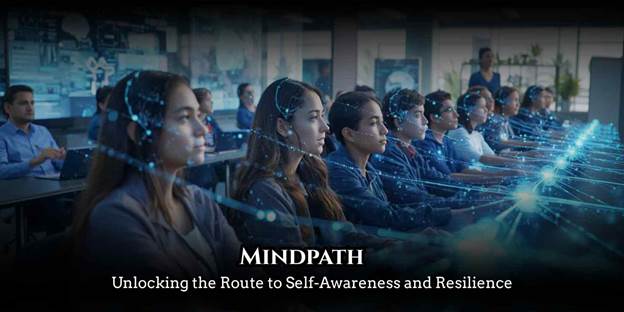
A digital teaching system is an integrated set of software, hardware, and cloud based tools that enables educators to plan lessons, deliver content, assess student performance, and manage classrooms electronically. If you are a teacher, school leader, or district administrator wondering how to modernize instruction, this guide provides everything you need, from core components and real data on outcomes to step by step adoption advice and platform comparisons.
What Is a Digital Teaching System?
A digital teaching system combines a learning management system (LMS), interactive display tools, video conferencing software, online assessment engines, and analytics dashboards into one unified teaching environment. It replaces or supplements traditional textbook and whiteboard instruction with multimedia, cloud accessible content.
Teachers use these platforms to build interactive lessons, distribute assignments, grade work automatically, and communicate with students and parents outside school hours. Students gain on demand access to recorded lectures, practice quizzes, collaborative workspaces, and personalized learning paths from any internet connected device.
According to a McKinsey analysis of PISA data, classrooms where teachers actively used digital devices during instruction saw measurably better reading outcomes, with US students gaining the equivalent of three quarters of a year of additional learning.
Table of Contents

Why Are Schools Adopting Digital Instruction Platforms?
Schools worldwide are shifting to electronic teaching tools for three primary reasons: broader access, long term cost reduction, and data driven instruction.
Access and Flexibility
Cloud based teaching platforms allow students to learn from home, a public library, or while traveling. This flexibility proved essential during pandemic era closures, and demand for remote capable systems has only increased since then. The Global System for Mobile Communications Association reported in 2025 that 5G services now reach over half the world’s population, while 4G covers 93 percent, making mobile friendly edtech platforms increasingly viable even in developing regions.
Cost Efficiency Over Time
The initial investment in devices and software licenses can feel steep. However, schools typically offset those costs within two to three years by reducing spending on printed textbooks, photocopying, and physical storage. Free tier platforms like Google Classroom and Moodle further lower the entry barrier for budget constrained institutions.
Smarter Decision Making Through Data
Digital systems automatically capture attendance, assignment completion rates, quiz scores, and engagement patterns. This gives teachers a clear, real time view of which students are thriving and which need intervention, something paper gradebooks cannot match.
The McKinsey Global Teacher and Student Survey found that technology enabled teachers to reallocate 20 to 30 percent of their working time toward activities that directly enhance student learning, such as personalized coaching and social emotional skill development.
Core Components of an Effective Digital Teaching System
The strongest e learning platforms share five essential building blocks. Here is what each one does and why it matters.
| Component | Function | Examples |
| Learning Management System (LMS) | Central hub for courses, assignments, and grades | Google Classroom, Canvas, Moodle |
| Interactive Content Tools | Multimedia lesson creation, digital whiteboards, screen annotation | SMART Board, Nearpod, Pear Deck |
| Assessment and Quiz Engines | Automated testing, instant grading, performance analytics | Kahoot, Quizizz, Formative |
| Communication Channels | Discussion forums, live chat, video conferencing | Zoom, Microsoft Teams, Google Meet |
| Analytics Dashboard | Visual reports on attendance, scores, and participation trends | Built into most LMS platforms |
A system missing any one of these pillars will leave gaps that frustrate both teachers and students.
Key Benefits for Teachers and Students
The advantages of a smart classroom system extend well beyond basic convenience.
For Teachers
Lesson preparation accelerates because digital content libraries offer ready made templates, video resources, and interactive exercises that can be customized in minutes. Automated grading handles repetitive evaluation tasks, freeing time for meaningful student interaction. Most importantly, teachers can assign differentiated materials to individual learners based on their progress data, something nearly impossible in a traditional one size fits all classroom.
For Students
Learners gain round the clock access to course materials, recorded lectures, and practice assessments from any device. Multimedia elements, including video, audio, simulations, and interactive diagrams, accommodate different learning styles and make abstract concepts more tangible. Collaborative tools like shared documents and discussion boards also encourage peer to peer learning, which educational research consistently links to stronger knowledge retention.
According to Grand View Research, the global education technology market was valued at approximately $163.49 billion in 2024 and is projected to reach $348.41 billion by 2030, growing at a compound annual rate of 13.3 percent. This growth reflects how deeply institutions now trust digital tools to improve outcomes.
How to Implement a Digital Teaching System: A Step by Step Plan
Rushing into a purchase without preparation is the most common reason digital classroom initiatives fail. Follow this structured approach instead.
Step 1: Audit Your Infrastructure. Check your school’s internet bandwidth, device inventory, and existing software subscriptions. A platform built around high definition video streaming will collapse in a building with inconsistent Wi Fi coverage.
Step 2: Clarify Your Objectives. Are you building a fully online program, a blended model that mixes in person and digital instruction, or simply adding a digital supplement to existing face to face teaching? Each goal requires a different type of solution.
Step 3: Include Teachers From the Start. Educators excluded from the selection process rarely commit to using the new system. Form a small evaluation committee that includes both technology confident and technology hesitant teachers so the final choice reflects realistic classroom needs.
Step 4: Pilot Before You Scale. Deploy the chosen platform with a single grade level or department for one full semester. Gather structured feedback from both teachers and students before expanding school wide.
Step 5: Invest in Continuous Training. A one time orientation is never sufficient. Schedule monthly refresher workshops and designate a dedicated on site support person who can resolve technical problems quickly. McKinsey’s research on higher education technology noted that institutions providing structured vendor training and ongoing technical support saw significantly smoother adoption, while those that left faculty to figure things out independently experienced higher resistance and dropout from the tools.
Common Challenges and Practical Solutions
Every school that transitions to an electronic teaching platform encounters predictable obstacles. Planning for them in advance makes each one manageable.
Teacher Resistance. Experienced educators often view new technology as a threat to their expertise. The most effective response is to position the system as a support tool, not a replacement, and to publicly celebrate early wins. Peer mentoring programs where tech comfortable teachers coach hesitant colleagues also reduce friction.
Student Distraction. Unsupervised device access inevitably leads to off task browsing. Device management software that restricts access to non educational websites during class hours addresses this directly. PISA 2022 data analyzed by McKinsey showed that learning benefits from technology were strongest when students used devices for less than one hour daily, with outcomes declining as screen time increased further.
Budget Limitations. Free platforms like Google Classroom and Moodle cover core needs at zero cost. Government education grants and nonprofit funding programs can also offset hardware expenses for public schools.
Technical Downtime. System outages will happen. Maintain backup lesson plans, whether printed handouts or offline versions of key materials saved to local drives, so instruction never stops completely.

How to Choose the Right Digital Education Platform
Selecting the best online teaching system depends on institutional size, budget, and specific learning goals. Evaluate every candidate against these four criteria.
Scalability. If your school expects enrollment growth, the platform must handle additional users without performance degradation.
Ease of Use. If teachers need weeks of training simply to upload a lesson, adoption will remain low regardless of how powerful the features are.
Integration Capability. The system should connect smoothly with tools already in use, such as Google Workspace, Microsoft 365, or your existing student information system. Interoperability through standards like LTI (Learning Tools Interoperability) is increasingly important. Future Market Insights projects that US K 12 technology spending will reach nearly $60 billion annually by 2033, driven largely by the shift toward interoperable tools using LTI standards.
Data Privacy Compliance. This is non negotiable. Confirm the platform meets FERPA requirements in the United States, GDPR in Europe, or equivalent regulations in your jurisdiction, especially when handling data belonging to minors.
Platform Comparison Table
| Platform | Cost | Best For | Key Strength |
| Google Classroom | Free | K 12 schools already using Google Workspace | Simple interface, seamless Google integration |
| Canvas | Free basic tier; paid premium | Higher education and large districts | Robust analytics, LTI compatibility |
| Moodle | Free (open source); hosting costs apply | Schools wanting full customization | Complete control over features and data |
| Microsoft Teams for Education | Free with Office 365 Education | Schools using Microsoft ecosystem | Deep Office integration, video conferencing built in |
| Schoology | Paid (district licensing) | Districts wanting unified K 12 platform | Strong parent engagement tools, standards alignment |
Future Trends in Digital Teaching Technology
The next wave of classroom technology is already taking shape across several fronts.
Artificial Intelligence for Personalized Learning. AI powered adaptive systems are beginning to adjust lesson difficulty, pacing, and content recommendations in real time based on each student’s performance data. Morgan Stanley analysts expect edtech spending to grow from $250 billion in 2022 to $620 billion by 2030, driven partly by increased adoption of AI powered personalization and the high scalability of digital learning models.
Augmented and Virtual Reality. AR and VR tools are entering mainstream classrooms, enabling virtual field trips, 3D anatomy explorations, and immersive science experiments. A McKinsey survey found that 37 percent of students expressed excitement about AR and VR’s potential in the classroom, though only 5 percent currently believe it will improve mastery of content, suggesting the technology is still maturing.
Blockchain Based Credentialing. Tamper proof digital certificates and transcripts issued on blockchain are gaining traction as a secure alternative to paper credentials, making verification faster for employers and transfer institutions alike.
Mobile First Learning. With smartphone penetration rising globally, platforms that prioritize mobile responsive design and offline capable content delivery will have a significant advantage, especially in developing regions.
Topical Authority: Related Subjects Worth Exploring
To build a complete understanding of digital education ecosystems, consider these connected topics: learning management system setup guides, blended learning vs fully online models, digital assessment tool comparisons, teacher professional development for edtech, student data privacy regulations by country, gamification strategies in K 12 education, and accessibility compliance for students with disabilities.
Conclusion
A digital teaching system is no longer optional for schools that want to remain effective and competitive. From elementary classrooms to university lecture halls, the evidence consistently shows that well implemented digital tools improve access, save teacher time, and enable data informed instruction that benefits every student.
The key to success is not buying the most expensive platform. It is choosing the right tool for your specific context, training your staff thoroughly, piloting before scaling, and committing to continuous improvement based on real performance data.
If your institution has not yet taken this step, start small with a free tier platform and a single department pilot. The results will speak for themselves. Share this guide with a colleague who could benefit, or leave a comment below with your own experience adopting digital instruction tools.
What is a digital teaching system and how does it work?
A digital teaching system is an electronic framework that combines learning management software, multimedia content tools, assessment engines, and communication platforms to deliver and manage education online or in a blended format. Teachers create and distribute lessons digitally while tracking student progress through built in analytics.
How much does it cost to set up a digital classroom?
Costs range from zero using free platforms like Google Classroom and Moodle to several hundred thousand dollars annually for enterprise solutions that include hardware, premium software licensing, and IT support contracts. Most schools start with free tools and scale up as needs grow.
Can digital teaching systems fully replace traditional classrooms?
They can function as a complete replacement in fully online programs, but research indicates the best outcomes typically come from blended models that combine digital tools with face to face instruction. The ideal balance depends on student age, subject matter, and institutional goals.
What are the best digital teaching platforms for schools in 2026?
The most widely adopted options include Google Classroom, Canvas, Moodle, Microsoft Teams for Education, and Schoology. The right choice depends on your school’s existing technology ecosystem, budget, and whether you need K 12 specific features or higher education capabilities.
Is teacher training necessary for using these systems?
Absolutely. Even the most user friendly platforms require initial onboarding and periodic refresher sessions to ensure teachers use all available features effectively. Schools that invest in ongoing professional development see significantly higher adoption rates and better student outcomes.
How do digital teaching systems protect student data?
Reputable platforms comply with privacy laws such as FERPA in the United States and GDPR in Europe, using encryption, role based access controls, and regular security audits to protect sensitive student information. Schools should always review a platform’s data handling policies and request documentation of compliance before signing any contract.