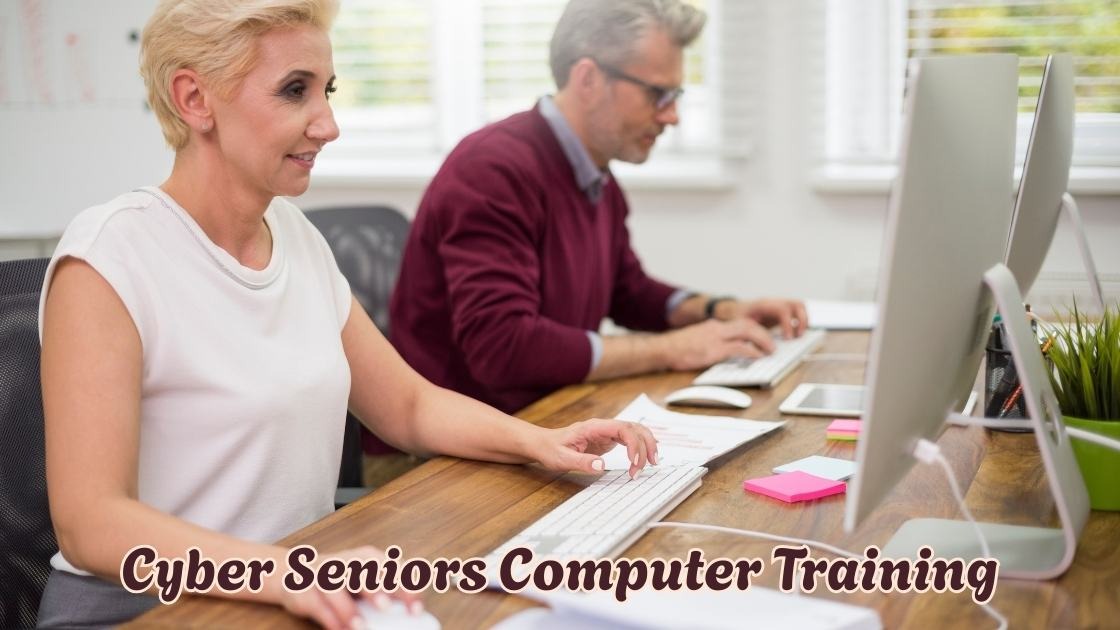
Cyber seniors computer training has become a lifeline for older adults who want to stay connected in today’s digital world. With technology evolving rapidly, many seniors feel overwhelmed by smartphones, tablets, and computers but certified instructors say it doesn’t have to be this way.
Professional trainers who specialize in senior technology education have spent years understanding how older learners absorb new skills differently. They’ve discovered that patience, repetition, and hands-on practice make all the difference in digital literacy for seniors.
In this comprehensive guide, you’ll learn insider tips straight from experienced instructors. We’ll cover everything from choosing the right computer classes for older adults to mastering internet safety basics and building lasting tech confidence. Whether you’re a senior ready to learn or a family member seeking resources, this article reveals what the experts genuinely want you to understand about effective senior digital skills programs.
Understanding the Foundations of Cyber Seniors Computer Training Programs
When certified instructors begin cyber seniors computer training, they first assess each learner’s comfort level with technology. Many older adults grew up without computers, which means their learning journey requires a unique approach compared to younger generations.
Professional trainers emphasize that successful digital literacy programs start with building confidence rather than diving into complex topics. The goal is creating a supportive environment where seniors feel comfortable asking questions and making mistakes without judgment.
Why Patience Matters More Than Speed
Experienced instructors understand that rushing through lessons creates frustration and discouragement. Instead, they focus on small victories that build momentum over time. When a senior successfully sends their first email or video calls a grandchild, that accomplishment fuels motivation to continue learning.
The best computer classes for older adults recognize that repetition strengthens memory retention. Instructors often revisit previous lessons before introducing new concepts, ensuring foundational skills become second nature.
Key Features That Make Training Programs Effective
Not all cyber seniors computer training programs deliver equal results. Certified instructors highlight several elements that separate excellent programs from mediocre ones.
Personalized Learning Approaches
Every senior brings different experiences and learning preferences to the classroom. Some learners prefer visual demonstrations, while others need hands-on practice to absorb information. Quality senior technology education adapts to individual needs rather than forcing everyone through identical curriculum.
Instructors also consider physical limitations such as vision challenges or arthritis that might affect how seniors interact with devices. Adjusting screen brightness, font sizes, and using ergonomic accessories can dramatically improve the learning experience.
Curriculum That Addresses Real Life Needs
The most effective tech training for seniors focuses on practical skills that enhance daily life. Certified instructors design lessons around activities seniors actually want to accomplish.
- Connecting with family through video calling platforms like Zoom and FaceTime
- Managing healthcare appointments and accessing patient portals safely
- Shopping online securely while avoiding scams and fraudulent websites
- Using social media to stay engaged with friends and community groups
- Handling basic banking tasks and paying bills through secure online systems
Benefits That Transform Senior Lives
Cyber seniors computer training delivers advantages that extend far beyond technical skills. Instructors witness remarkable transformations in their students’ overall wellbeing and independence.
Combating Social Isolation
Loneliness affects millions of older adults, particularly those with mobility limitations. Learning to use technology opens doors to virtual connections that keep seniors engaged with the world. Video calls, social media, and online communities provide meaningful interaction when in person visits aren’t possible.
Maintaining Independence Longer
Seniors who master basic computer skills can handle tasks that might otherwise require assistance. Ordering groceries online, scheduling transportation, and managing medications through apps empowers older adults to maintain autonomy in their daily routines.
Boosting Cognitive Health
Research suggests that learning new skills helps maintain mental sharpness as we age. The mental exercise involved in digital skills development creates new neural pathways and keeps the brain active and engaged.
Common Challenges Instructors Help Seniors Overcome
Even the best cyber seniors computer training encounters obstacles. Understanding these challenges helps both instructors and learners prepare for the journey ahead.
Technology Anxiety and Fear
Many seniors worry about breaking devices or accidentally deleting important information. Certified instructors address these fears directly by explaining that most mistakes are easily reversible. Creating a judgment free atmosphere encourages learners to experiment without anxiety.
Information Overload
Technology encompasses countless devices, applications, and features. Effective senior computer classes avoid overwhelming students by introducing concepts gradually. Instructors prioritize essential skills before exploring advanced features.
Scam Awareness and Online Safety
Protecting seniors from cyber threats remains a top priority for certified trainers. Internet safety education teaches learners to recognize phishing emails, suspicious links, and fraudulent phone calls. This knowledge provides confidence to explore online resources without becoming victims.
Recommendations From Professional Instructors
Trainers who specialize in cyber seniors computer training offer valuable advice for those beginning their technology journey.
- Start with one device and master it before adding new technology
- Practice regularly even if only for fifteen minutes daily
- Write down steps for tasks you want to remember
- Ask family members for patience and support during learning
- Celebrate every small accomplishment along the way
The instructors emphasize that age never prevents anyone from becoming technology proficient. With proper guidance and consistent practice, every senior can develop the digital confidence needed to thrive in today’s connected world.
Conclusion
Cyber seniors computer training opens doors that many older adults never imagined possible. From connecting with loved ones through video calls to managing daily tasks independently, the benefits extend far beyond basic technical skills.
Certified instructors have shown us that successful digital literacy for seniors requires patience, personalized approaches, and practical curriculum focused on real life needs. The journey may present challenges, but overcoming technology anxiety leads to increased confidence and cognitive engagement.
Whether you’re a senior ready to start learning or a family member seeking resources, remember that cyber seniors computer training transforms lives at any age. Take that first step today and discover the connected world waiting for you.